
This is the technical follow-up to Meet the Saucelet. It covers how a keychain runs Godot games today, and how I plan to get it to real 3D.
Some of this runs on my bench today. A lot of it is still a plan, and I'll say which is which.
Two kinds of chip
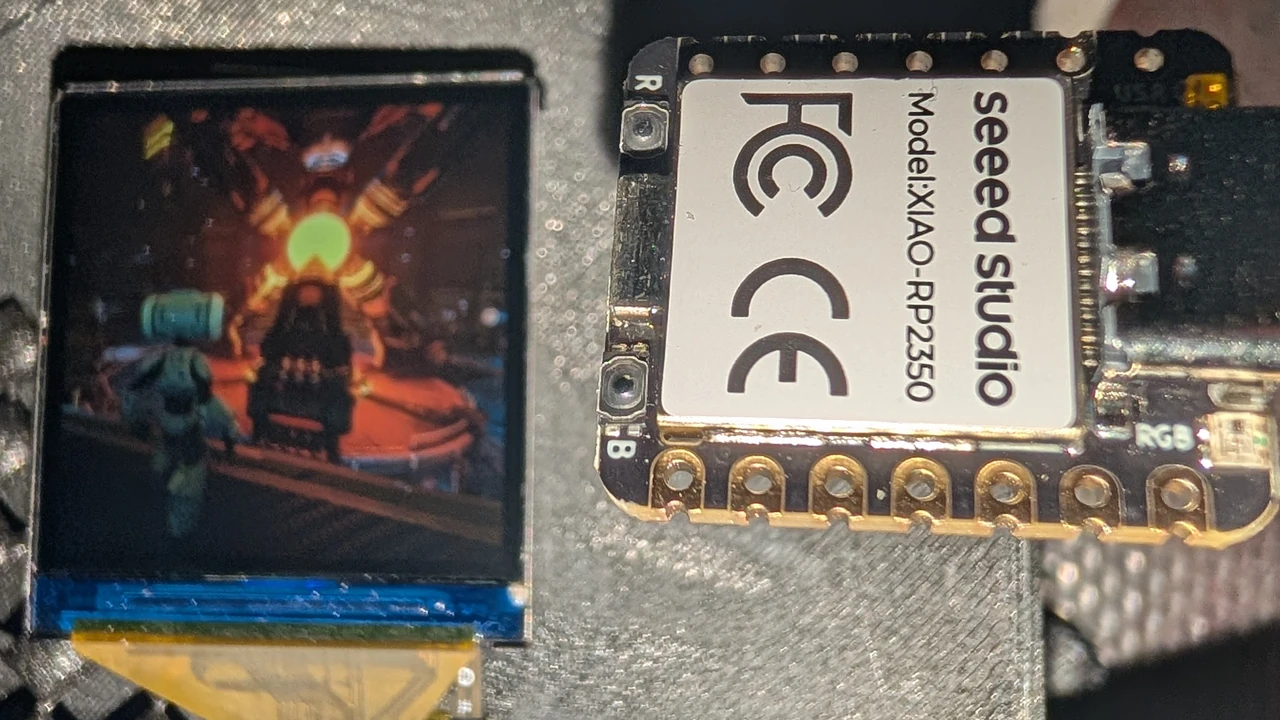
The RP2350 is the brain. It's a plain, cheap microcontroller with two Cortex-M33 cores at 150 MHz and 520 KB of RAM. It runs the game logic, the buttons, the sound and the screen, and in the base Saucelet it does all the drawing too. Its cores have DSP extensions that work on two 16-bit values in one instruction, which helps a lot in tight drawing loops. There's no operating system. The game is compiled straight into the firmware, which is a big part of why it boots in milliseconds.
The Saucelet Extra adds a SIMD co-processor. It's a modern chip originally designed for AI at the edge, running small neural networks right on a device. The 128-bit SIMD instructions that make it good at that, crunching many numbers at once, also make it good at 3D. In the Saucelet Extra it works as a postage-stamp GPU, and only when a game needs it. The rest of the time it's power-gated, switched off completely so it doesn't drain the battery. A game picks how much graphics power each scene needs, and the extra chip wakes in milliseconds when it's asked for.
Stop chasing graphics cards and consoles with 8 to 16 GB of memory. On a screen this size, about 34 MB does the job.*
*Two RP2350 chips with 520 KB of RAM each, plus a SIMD co-processor with 768 KB of RAM and 32 MB of in-package memory. That's for a 1.3 inch screen. Your 4K TV still wants the big card.
The screen is why that's enough. It's 240 by 240 pixels, about 58,000 in all, and a 4K TV has more than 140 times as many. Most of what a big GPU spends its memory on, like huge textures and very fine geometry, would never show up at this size.
How a frame gets drawn today
The Saucelet draws with a band renderer. It runs on the RP2350 today, with Saucelings and Mimic.
The screen is cut into 15 bands, each 16 rows tall. Core 0 runs the game, then both cores share the bands for the frame. The split adapts from frame to frame, so neither core sits idle while the other is busy. While one finished band goes out to the screen by DMA, the next one is already being drawn.
Only what changed gets redrawn. After each game tick, every band gets a signature, a quick hash of the drawing commands that touch it. If a band's signature hasn't changed, it isn't drawn or sent again. On Saucelings' menus about 4.6 of the 15 bands change per frame, about 8.5 in gameplay, and almost none on an idle screen. Less work per frame leaves more headroom and saves battery.
squeeze: Godot in, C++ out
Every Saucelet game starts as a normal Godot project. My exporter, squeeze, turns it into firmware.
Scripts are typed GDScript, compiled ahead of time to C++. Every variable needs a type, and untyped code is rejected, so the compiler knows exactly what each line does. There's no Godot and no GDScript interpreter on the device. Signals become fixed lookup tables, await becomes a C++ coroutine, and nothing allocates memory after boot. For Saucelings that's 21 scripts and 179 functions.
Assets are baked to the size they're drawn. squeeze plays the game in Godot, measures how big each texture actually appears on the 240 by 240 screen, and stores it at that size. Textures are compressed with small palettes and vector quantisation, sound with ADPCM, and fonts are pre-rendered at the sizes the game uses.
The original game scripts stay untouched. D-pad and button controls are added as small typed GDScript overlays, which run in Godot too.
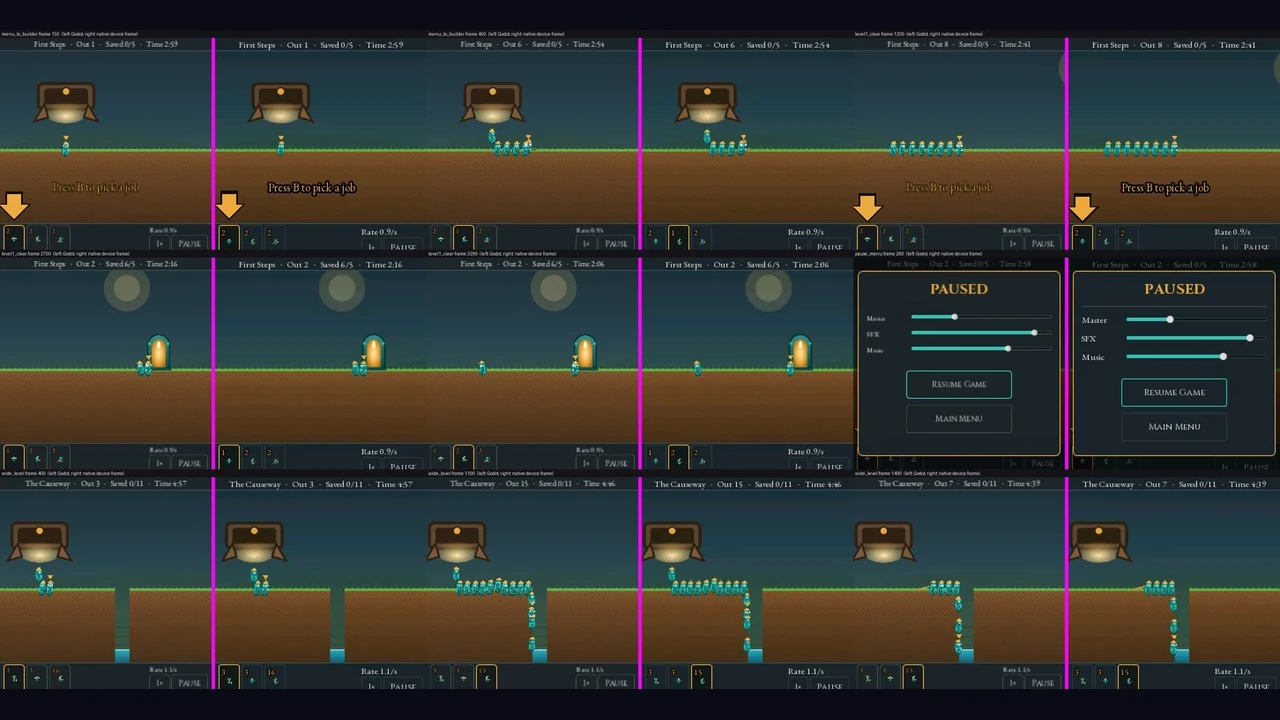
To check the result I use golden traces. I record button presses and play them into headless Godot and into the chip. On every physics frame, both log the full game state, every character and timer, and the logs have to match line for line or the export fails. On the RP2350, all seven traces for Saucelings and Mimic match Godot exactly, thousands of frames each.
What it takes to make a Saucelet game
Running real games on chips this small comes with some rules. This is what a game needs today:
- It has to compile to C or C++. For Godot games that's the easy part, because
squeezecompiles typed GDScript ahead of time. - It has to be typed GDScript. Untyped code is rejected, so an older project may need types added before it exports.
- No generic shaders. The Saucelet draws with its own custom rasterizer, so a Godot shader can't run on it as is.
squeezewill also convert shaders, and the aim is to get you about 90% of the way through a port with one click. Whether the last 10% turns out hard or easy is still to be seen, heh. - No online features. The device never connects to the internet, so web links, online leaderboards and share buttons are hidden at export time. The rest of the game stays intact.
The 3D plan
Everything in this section is the plan. None of it runs on the Saucelet yet. I'm writing it down because it's the part I'm most excited about, and because it builds on published research.
At 240 by 240, the work per frame depends far more on the number of pixels than on how detailed the world is. So the plan is to spend effort only where pixels can show it.
Draw what's visible first
The renderer first works out what is in each pixel: which triangle, and how far away. Only then does it shade, once per visible pixel, so nothing gets textured and lit just to be covered up a moment later.
Clustered LOD: detail where it shows
Models are split into small clusters of 64 to 128 triangles, stored from coarse to fine. Each frame, every cluster uses the coarsest version that's still less than a pixel off. Far away, that's very coarse; up close, full detail. It's the same idea as Unreal Engine 5's Nanite (Epic, 2021), scaled way down. On the Saucelet the models also get coarser toward the corners of the screen, away from the action.
Sparse virtual textures
Textures are stored as small blocks, and the chip caches only the blocks that visible pixels touch right now, a small fraction of the whole texture. This is Sean Barrett's sparse virtual textures (GDC 2008). The number of texture reads per frame is bounded by the pixel count, so a busy scene changes which blocks are needed but not how many. If a block isn't ready yet, that spot uses a blurrier version for a frame and the game keeps going.
Foveated ray tracing
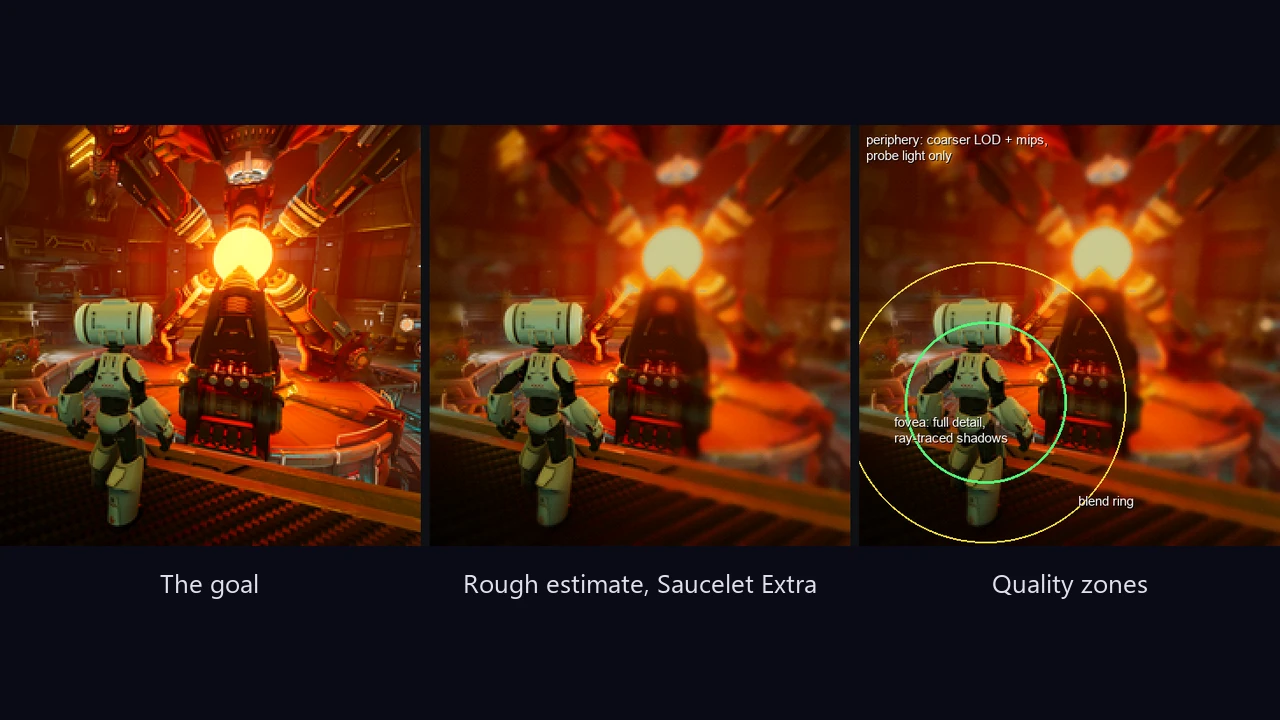
Your eye only sees fine detail in a small area around where you're looking. Foveated 3D graphics (Guenter et al., 2012) showed that the rest can be rendered at lower quality without people noticing. The plan for the Saucelet Extra builds on that:
- Rasterise first, then ray-trace only the lighting. The raster pass already knows what's in each pixel, so rays are used only for shadows, bounce light and reflections.
- Rays test a simple proxy world: a few hundred boxes and capsules shaped like the level and characters, instead of every triangle. That makes each ray cheap enough for a small chip.
- Bounce light comes from probes. A few hundred light probes spread through the level each trace a handful of rays per frame and build up bounce light over time. This is DDGI (Majercik et al., 2019).
- Samples are reused over time and space. Each frame's few rays are combined with recent frames and nearby pixels, following ReSTIR (Bitterli et al., 2020). One ray per pixel over 8 frames behaves a lot like 8 rays.
- The sharp area follows your character. The keychain has no eye tracker, so it assumes you're watching your character, which is true most of the time. Around your character you'd get full detail and ray-traced shadows. A soft blend ring hides the edge, and toward the corners the models and textures get simpler and only probe light is used.
Checkerboard rendering as a boost
When a scene needs more headroom, the renderer can shade only half the pixels each frame, in a checkerboard, and swap halves every frame. The missing half is filled in from the previous frame, using how each surface moved. That nearly doubles the time available for each shaded pixel. The cost is a little shimmer on fast motion and on edges that have just come into view, which is hard to spot at 60 FPS on a small screen.
The trade-offs
- After a big sudden change, like a door opening or a light switching on, the lighting takes about 0.25 to 0.5 seconds to catch up.
- Fast motion looks a little soft, because so much is reused from earlier frames.
- Complex scenes drop to 30 FPS on the Saucelet Extra. 60 FPS is the target, and some scenes won't hit it.
- The extra chip only runs when a game needs it, but while it runs it uses more battery.
What exists in 3D today
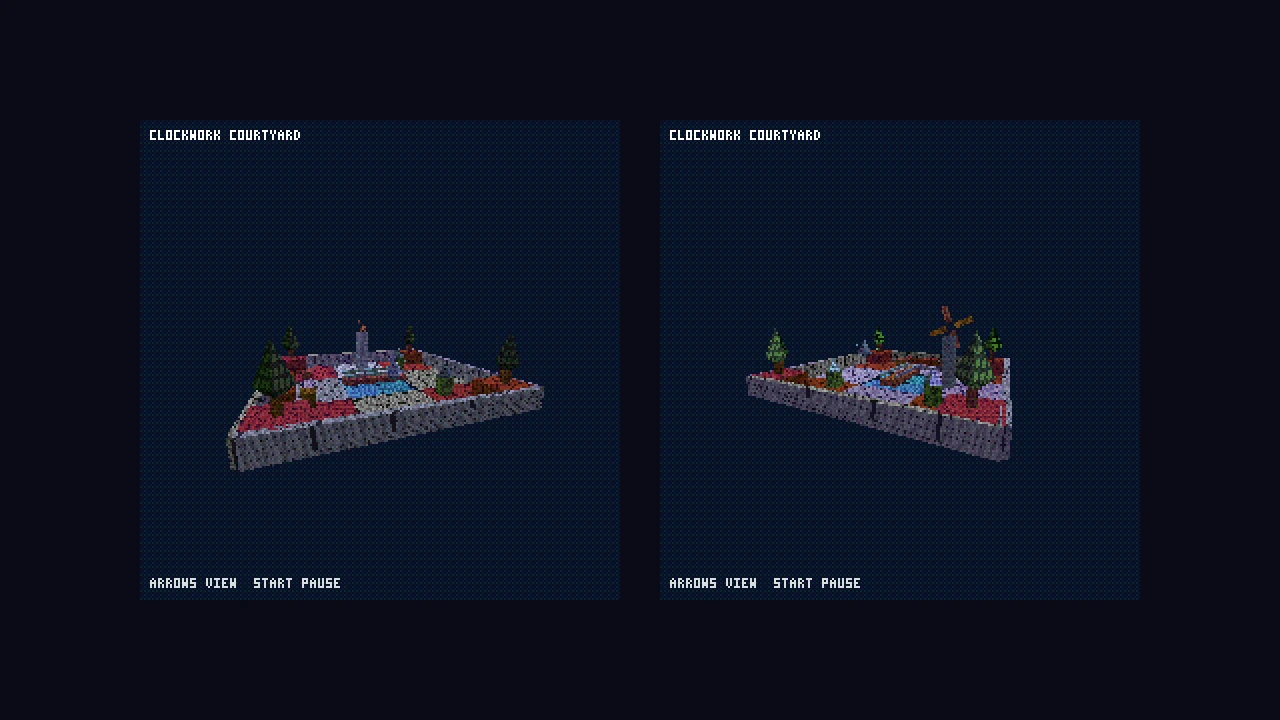
A small test scene, Clockwork Courtyard, runs live on the prototype screen at 60 FPS. For now a Raspberry Pi 3 drives it on the bench, using the same drawing code as the RP2350 firmware, and the Pi's frames come out byte for byte the same as the PC build. It's simple 3D, a long way from the plan above, but it's real and it's running.
This week on the bench
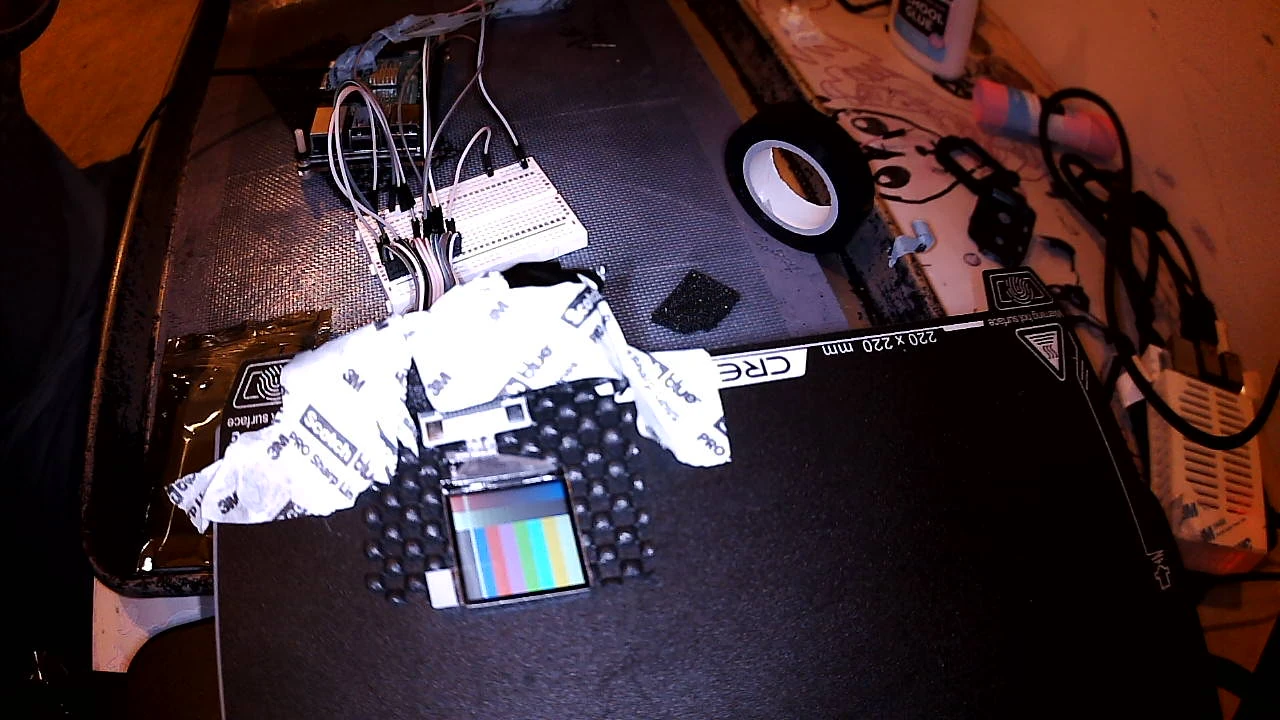
Saucelings and Mimic, compiled from Godot by squeeze, run on the 1.3 inch 240 by 240 prototype screen at 60 FPS. For now a Raspberry Pi 3 drives the screen.
On the RP2350 itself, the game runtime boots in about 5 to 11 milliseconds, and the first frame is drawn about 55 to 70 milliseconds after the code starts. The game logic matches Godot frame for frame, as described above.
The RP2350 isn't at 60 FPS yet. Measured on the chip, these two games run at about 39 to 57 FPS. Each game tick takes 5 to 9 milliseconds, and drawing is slower than my estimates. Getting both to a steady 60 is what I'm working on now.
When
Spring 2029, for both the Saucelet and the Saucelet Extra. The base Saucelet comes first. The 3D plan is the long road, and I'll post here as each piece starts working, or doesn't.
If you have questions about any of this, or know a paper I should read, tell me.